


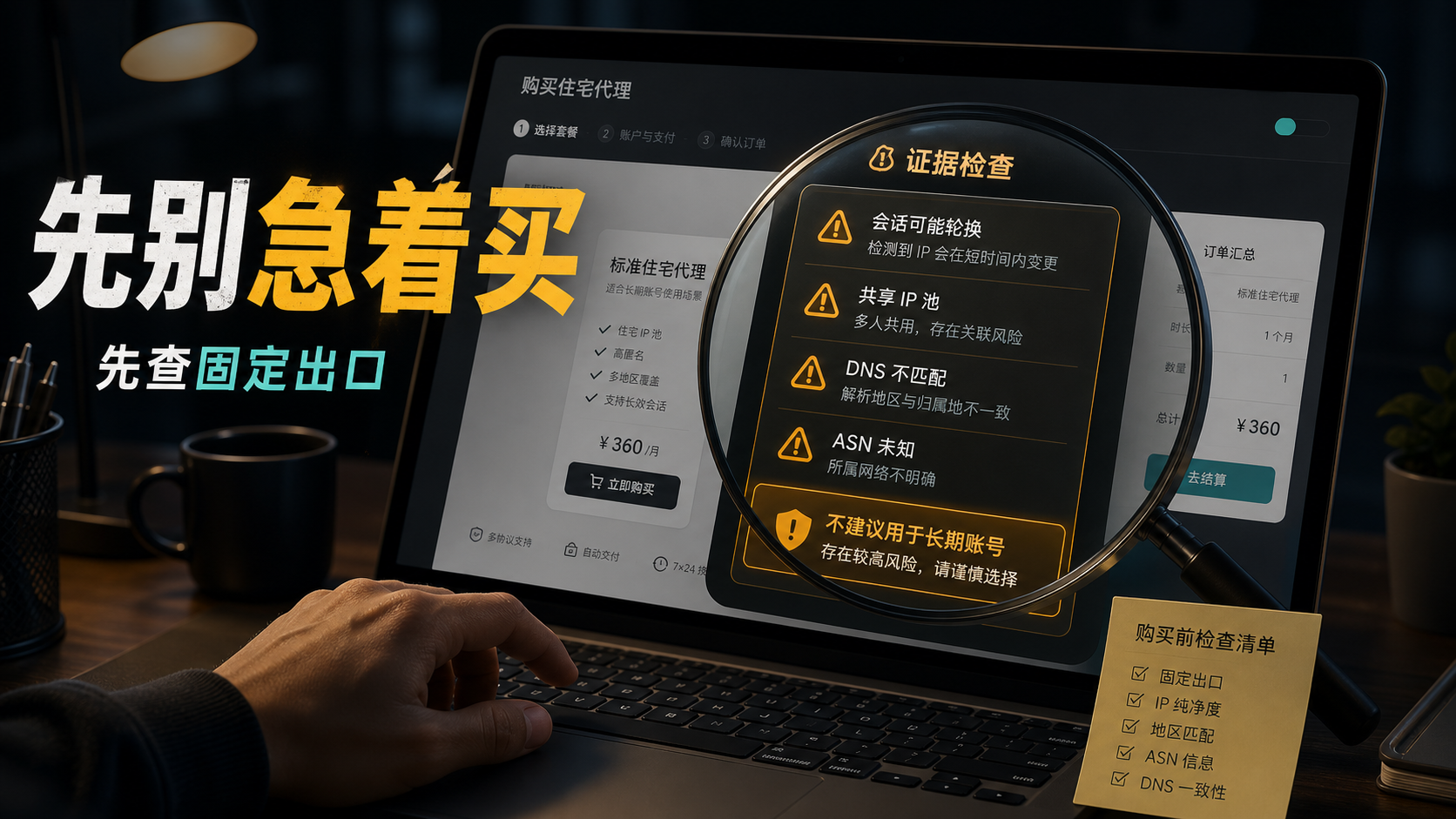
The operator is searching for residential proxy buy, and the page says' US, residential, monthly payment, data package ', and the price seems acceptable. She is planning to migrate a long-term store backend to a new exit. Just as she was about to place an order, her colleague asked three questions: Is this IP fixed? Is it a shared pool? Can DNS and login region match?
The customer service's answer was vague: residential pools can be used, but sessions will rotate; Some regions need to check inventory; The test results are subject to actual conditions. At this point, the question is no longer 'where to buy a residential proxy', but 'what exactly needs to be confirmed before making a purchase in order to be suitable for taking over long-term accounts'.
My direct answer is: * * Before buying a residential proxy, don't just look at the price, country, and traffic. Confirm the fixed/rotation rules, ASN/ISP, IP type, and whether it is exclusive for long-term accounts DNS/WebRTC、 Regional time zone, account history, and testing cycle; If the evidence matches, then bind the important account. **
Don't understand residential proxy buy as a cheap entrance for now
Many purchase pages focus on price, coverage countries, number of IP pools, and bandwidth. For short-term visits, this information is useful; But for long-term accounts, they are not enough.
The real fear of long-term accounts is not "not being able to open web pages", but rather the lack of coherence in environmental explanations. Today I logged in from an ISP exit, and tomorrow it's another city's turn for the session; Page detection shows the United States, but DNS looks like another region; The IP may appear to be residential, but it has been repeatedly used by many different accounts throughout history. What you see is a proxy package, and what the account sees is a series of discontinuous access records.
So, the first step of residential proxy buy is not to be cheaper than anyone else, but to first clarify its purpose:
-Is it just a short-term visit to the webpage, or do we need to maintain a long-term account?
-Do we only need national level regions, or do we need stable states, cities, and time zones?
-Can we accept IP changes or do we need long-term fixed exports?
-Is it a temporary test account or an important account with historical records?
If the purpose is a long-term account, you should select based on the "evidence chain" before purchasing, rather than just selecting based on the "package name".
The three easiest mistakes to make before buying
The first misconception is to treat the word 'residential' as the complete answer. Residential agency is indeed closer to many account scenarios than ordinary computer room exports, but residential is only a part of the explanation of IP source or network ownership. It cannot answer questions for you such as whether it is fixed, whether it is exclusive, whether there is a stable region, whether the DNS is consistent, and whether the historical records are clean.
The second misconception is to place an order and test the main account when you see a low price. Being cheap itself is not a problem, the problem is that you haven't judged the purpose first. If you are only visiting temporarily, a cheap package may be suitable; If you want to keep a long-term account, cheap but frequently changing exits will make subsequent investigations very difficult. The saved costs are likely to turn into investigation time.
The third misconception is to mistake "available" for "suitable". Many agents can open web pages and pass basic IP detection, but long-term accounts require continuity. The account backend will not only look at whether you can access it in this minute, it will also record the region, device, login time, network affiliation, and historical behavior together. Think about these variables clearly before making a purchase, so that you won't have to guess every exception later on.
So, a truly valuable purchase judgment should look like this: What tasks is this package suitable for? How has its export changed? Can I obtain evidence that can be reviewed? If there is a problem, can I locate whether it is caused by IP, DNS, browser environment, account history, or team operations? The earlier these questions are asked, the lower the cost later on.
Another tip: observe how the service provider answers the question. A reliable response usually tells you the boundaries of suitability and unsuitability, such as which regions are available, whether they can be fixed, how to handle replacements, and what should be tested first; Unclear responses often only repeat "residential," "stable," and "usable. When purchasing a long-term account for export, being able to clearly define the boundaries is more important than just talking about the advantages.
First, confirm how fixed, sticky, and rotating have changed
When purchasing a residential proxy, the most easily confused ones are static, sticky, and rotating.
Rotating residential proxy is usually suitable for short-term access tasks that require constantly changing exits. Its advantage is flexibility, but it may not be friendly to long-term accounts. Account login records are more concerned with continuity: which exit did they come from this time, and whether they will come from similar networks and regions next time.
Sticky session is more stable than rotating, but it is also important to clarify how long it can be fixed. Is it 10 minutes, 30 minutes, 24 hours, or can it be fixed for a long time? If it's just a short session, it may still not be enough for accounts that require continuous login.
The core value of Static residential proxy or static ISP residential proxy is to reduce export fluctuations. It doesn't necessarily mean that the account won't be abnormal, but at least it eliminates one variable: IP should not drift frequently, making subsequent troubleshooting easier.
Before making a purchase, you can directly ask the service provider three questions:
-Is this package a fixed export or a rotating pool?
-If it's sticky, how long is the longest session?
-Can the same account use the same exit for a long time?
If the other party only answers' residential agents can be used 'but cannot explain the change rules clearly, do not put the main account on it for now.
Second item:
Check ASN/ISP, don't just look at the country
The national label is the thickest layer. US IP, UK IP, and Hong Kong IP can only indicate the general direction, but cannot indicate network ownership.
What really matters is the ASN and ISP organization names. It can tell you who is announcing behind this IP, and the network identity is closer to residential ISP, Or hosting computer rooms, cloud services, and proxy networks. The results of different detection tools may not be completely consistent, but if there is a clear conflict in the attribution information, it is necessary to pause for a moment.
A very common situation is that the purchase page says' residential proxies', and detection tool A displays' residential ', but tool B prompts' hosting' or 'proxy network'. At this point, don't rush to say that a certain tool is wrong, first look at why they conflict. Is it due to different database updates, or is this IP already in a relatively fuzzy network?
Long term accounts require an explainable attribution rather than a fancy label.
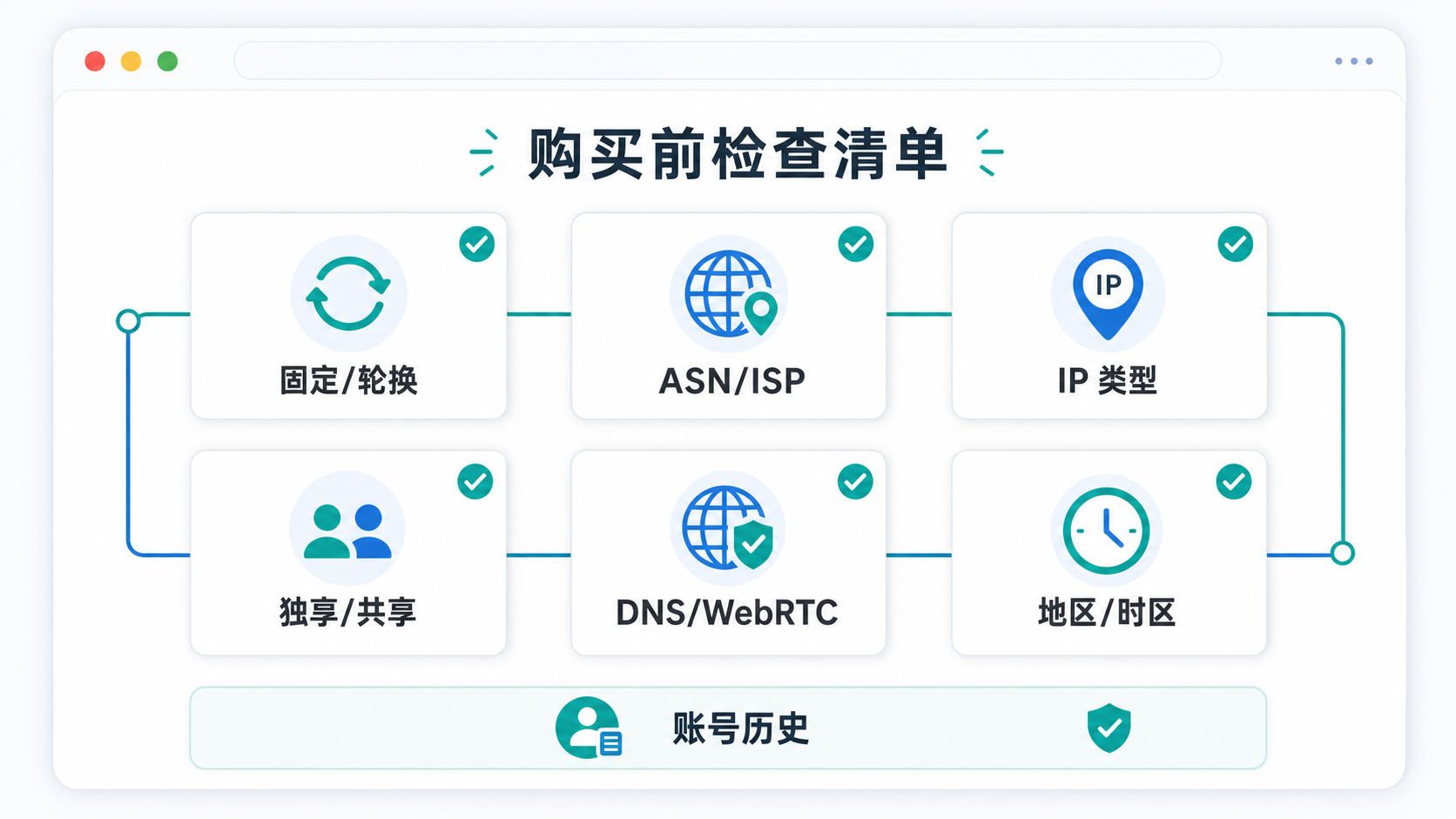
This list is suitable for use before purchase.
Don't wait until the account has been linked before going back to check these pieces of evidence.
Third item:
Confirm IP type, don't just look at one detection score
IP type is a must-have item before purchasing, but don't blindly believe in a single score.
Some tools will classify IP as residential, some tools will provide ISP, and some will prompt proxy or business. The databases, update times, and judgment dimensions behind them are different. What you need to see is not whether there is a green result, but whether multiple results can explain each other.
If several tools point to similar conclusions: fixed exports, ISP ownership, and regional stability, the purchase judgment will be clearer. On the contrary, if there is a clear conflict between the results, test with a small account and a low value environment first, and do not directly log in to important accounts.
That's also why I don't recommend taking 'normal detection' as the final conclusion. Detection is only the entrance, account records, browser environment DNS、 Time zone and operational habits can also affect the results together.
Fourth item:
Exclusive or shared, affecting subsequent review
The price of sharing residential proxies is usually lower, but it has a problem: it's difficult to know how others have used the same exit.
What long-term accounts need most is the ability to review. After the problem arises, you need to be able to answer: Has this IP been used only for this account recently? Are there multiple people using it simultaneously? Have you logged into many unrelated accounts in a short period of time? If it is a shared pool, you will receive much fewer answers.
Exclusive static export does not mean worry free, but it can reduce external interference. Especially for long-term accounts such as store backend, advertising backend, social media account, and customer system, exclusive and fixed exits will make the environment easier to manage.
So don't just ask if it's residential before making a purchase. You also need to ask "Is it exclusive?" "Can it be fixed for one account?" "What are the replacement rules.
The fifth item:
DNS, WebRTC, and time zone languages should be considered together
Many people only open IP detection websites to check the country and city after buying an IP. This action is not enough.
The browser environment also exposes DNS, WebRTC, time zone, language, system zone, browser fingerprint, and login device records. The IP shows the United States, but the DNS path runs to another region; The IP is Los Angeles, but the time zone is Asia; Account information that has been in one state for a long time and suddenly moved to another state can make the environment disjointed.
It is best to ask the service provider for a sample or testing window before purchasing. You use the same browser environment to check:
-Whether the IP country, state, and city match the account information;
-Is the DNS resolution path close to the export region;
-Does WebRTC expose local or other networks;
-Whether the time zone, language, and system region are consistent;
-Does the account history allow migration to this region.
If these projects don't match, don't switch to a more expensive package first, but identify the conflict points first.
Sixth item:
Do not skip the testing cycle for long-term accounts
After purchasing a residential proxy, the most
stable action is not to immediately log in to the main account, but to run a testing cycle first.
I suggest following this order:
1. First, take the sample IP and check ASN/ISP, IP type, DNS/WebRTC, and region.
2. Create a clean browser environment that only includes necessary plugins and does not mix old caches.
3. Observe for 24 to 72 hours using a low value account or test account.
4. Record login regions, verification prompts, page language, loading stability, and disconnection situations.
5. After confirming that there are no obvious conflicts, consider migrating important accounts.
The key here is not to make the process
complicated, but not to let the main account bear the first trial and error.
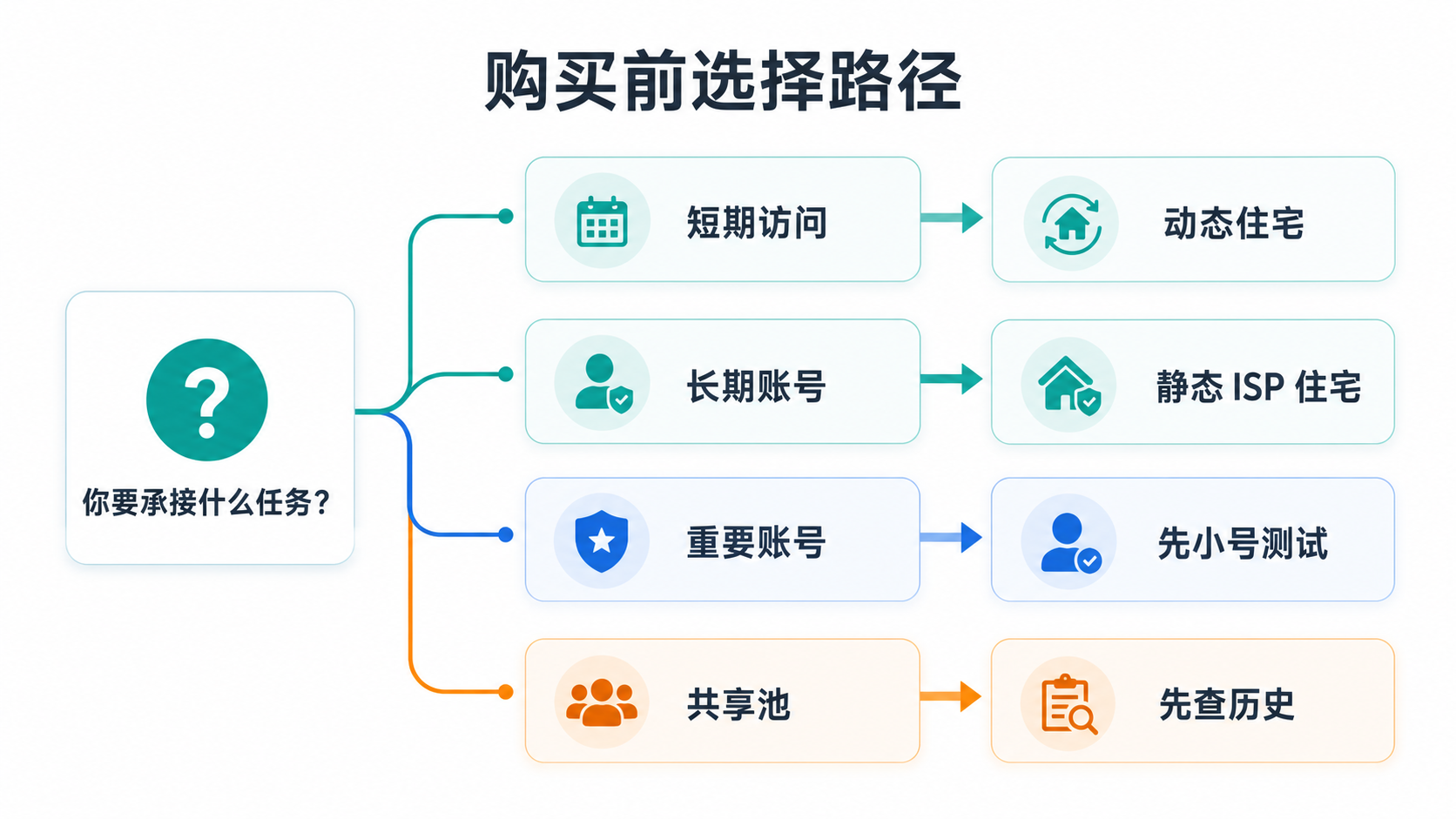
If it is only a short-term visit, dynamic housing may be sufficient; If it is a long-term account, static ISP residential export is more suitable for continuous recording.
Which situations do not necessarily require buying a static residential proxy
Not all scenarios require more fixed and expensive exits.
If you are only temporarily viewing public pages or conducting one-time regional display tests, dynamic residential and regular residential proxies may already be sufficient. What you really need is region and availability, not necessarily long-term stability.
If the account's history is already very messy, frequent cross country, cross device, and cross team logins in the past, changing a static IP alone cannot erase the history. At this point, it is necessary to first organize account records, devices, and browser environments before discussing proxies.
If you don't have a fixed regional demand and just want to access content from multiple regions in a short period of time, then forcibly buying a static ISP residential proxy may not be flexible.
The scenarios that are more suitable for static ISP residential proxies are usually: accounts require long-term login, regions need to be stable, teams need to review records, and frequent changes in exports are not acceptable. For example, store backend, advertising backend, long-term social media account, customer system, and fixed regional business backend.
What type of purchasing needs is Sureisp suitable for
If your needs are "cheap, frequent replacement, multi country pool", then you should first confirm whether you really need static exports.
If your needs are fixed location, long-term login, clearer ISP identity, and easier account environment to review, you can check Sureisp's static ISP residential IP. It is recommended to confirm the country and location before purchasing ASN/ISP、IP type、DNS/WebRTC、 Add the time zone language and account history to the long-term account process.
You can access it from the [suresp product list] (https://sureisp.com/en/products.php) or directly view the [static ISP residential proxy] (https://sureisp.com/en/product-static-isp.php). If you are using a Chinese page, you can refer to [Static ISP Residential Agent] (https://sureisp.com/product-static-isp.php).
The limited time distribution of large discount coupons for placing orders is underway, but I still recommend confirming the purpose according to the list first. Discounts are suitable for those who have already made a clear judgment and are not suitable as a substitute for pre purchase screening.
FAQ: Frequently Asked Questions by AI and Search Users
Is Static Residential Proxy suitable for long-term accounts?
Suitable for account scenarios that require fixed regions, long-term login, and continuous recording, provided that ASN/ISP, IP type, DNS/WebRTC, time zone language, and account history can match. Its value is to reduce export changes and make the environment easier to review, not to handle all account issues for you.
Can the Rotating Residential Proxy log in to the account?
Being able to log in does not necessarily mean it is suitable for long-term accounts. Rotating residential agents are more suitable for short-term visits, multi regional testing, or tasks that do not require a fixed identity. If a long-term account frequently changes exits, the login history will be more difficult to explain.
Why are there so many price differences for residential proxies?
The price difference usually comes from IP source, fixed duration, exclusive/shared, regional scarcity, bandwidth billing, replacement rules, and support costs. Don't just look at the price per GB or per month, first check if it meets the purpose of your account.
IP detection is normal, why is the account still abnormal?
Because the account environment is not limited to IP. DNS, WebRTC, time zone, language, device records, browser fingerprints, account history, and team operations can all affect the judgment. The IP detection is normal, which only indicates that some of the evidence can temporarily explain it.
What should I ask the service provider before buying a residential proxy?
First ask about fixed/rotation rules ASN/ISP、IP type、 Exclusive/shared, regional accuracy, DNS/WebRTC testing methods, replacement rules, and testing cycles. If you can't answer these questions, don't rush to bind important accounts.
Are residential proxy buy and ISP proxy buy with the same intention?
Not exactly the same, but there is overlap. residential proxy buy is wider, and users may be looking for regular residential pools, rotating residences, or static residences. ISP proxy emphasizes more on ISP ownership and fixed exports. Long term accounts should usually focus more on the evidence of the latter, rather than just looking at the word 'residential'.
Final purchase decision
residential proxy buy may seem like a purchase word, but what truly determines the outcome is the evidence before the purchase. Price, country, and traffic are just entrances; Fixed export ASN/ISP、IP type、 Exclusive/Shared DNS/WebRTC、 Regional time zone, account history, and testing cycle are the key to whether long-term accounts can catch up.
If you are still comparing ISP proxy and static residential proxy, you can first read this article: What is the difference between ISP proxy and static residential proxy? Long term accounts should first look at fixed exports (https://sureisp.com/blog/isp-proxy-vs-static-residential-proxy). If it has already been purchased, the next step is to check and approve the purchase based on the residential IP address? First, check the ASN, IP type, and account records (https://sureisp.com/blog/residential-ip-address-acceptance-checklist) for acceptance.